The product
Six surfaces. Each one does a single job properly.
OnCue replaces waving at a passing server. It will also take an order if you turn that on — and it still takes no payments, runs no chat, and has no opinion about your POS.
The service loop
Asked, routed, acknowledged, closed — two screens and one pass.
Actual product screens · isolated sample venue
The guest · the tag on the table
A tag on the table, and nothing to install
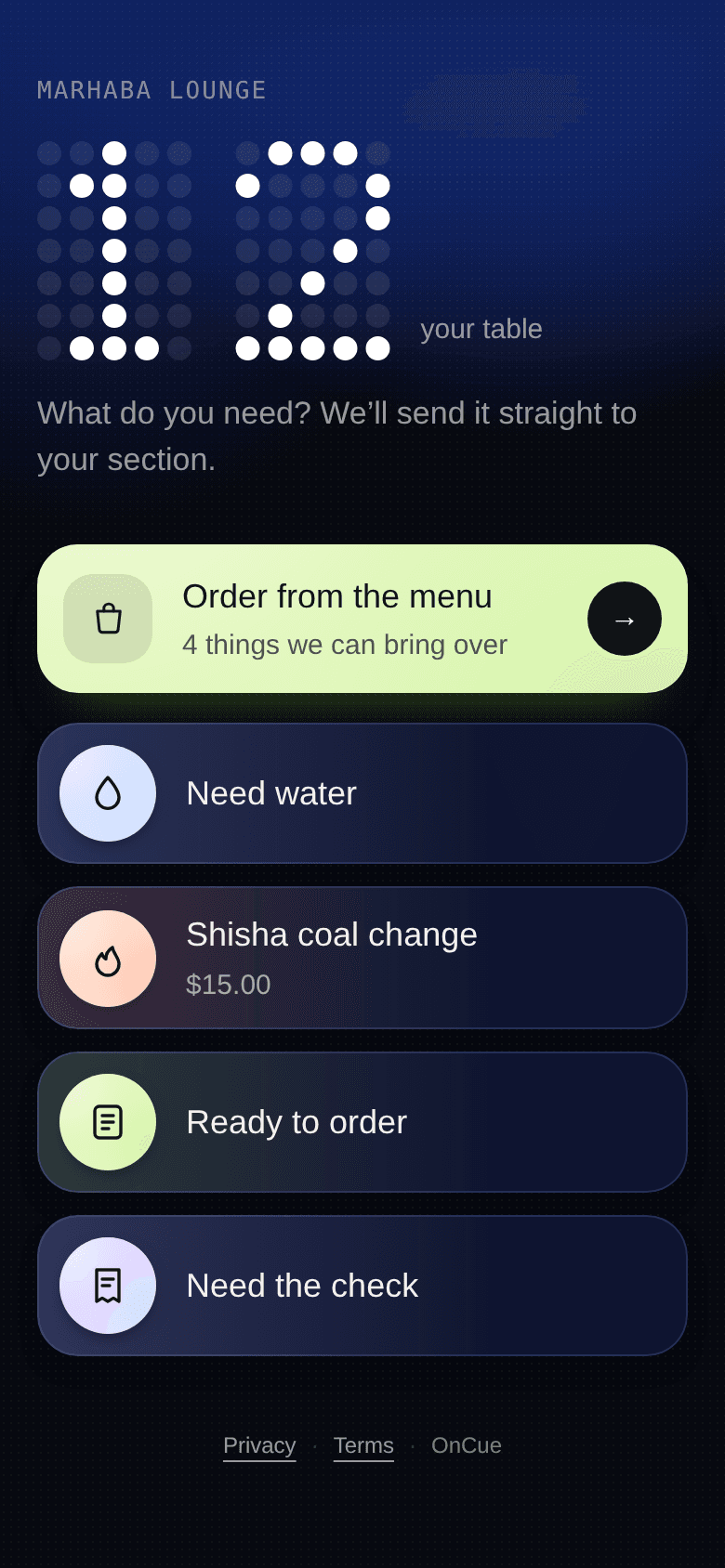
The guest taps their phone on a chip the size of a coin, or scans a printed code. A page opens with your buttons on it. There is no app, no account, no wifi password and no menu to wade through.
- Your buttons, your words
- Coal change, chai refill, extra roti, the check. You write the list, and it can be different for every venue you run.
- One open request per thing
- A table that already asked for water sees that button greyed out with the reason. Four impatient taps stay one job in the queue.
- They can see where it got to
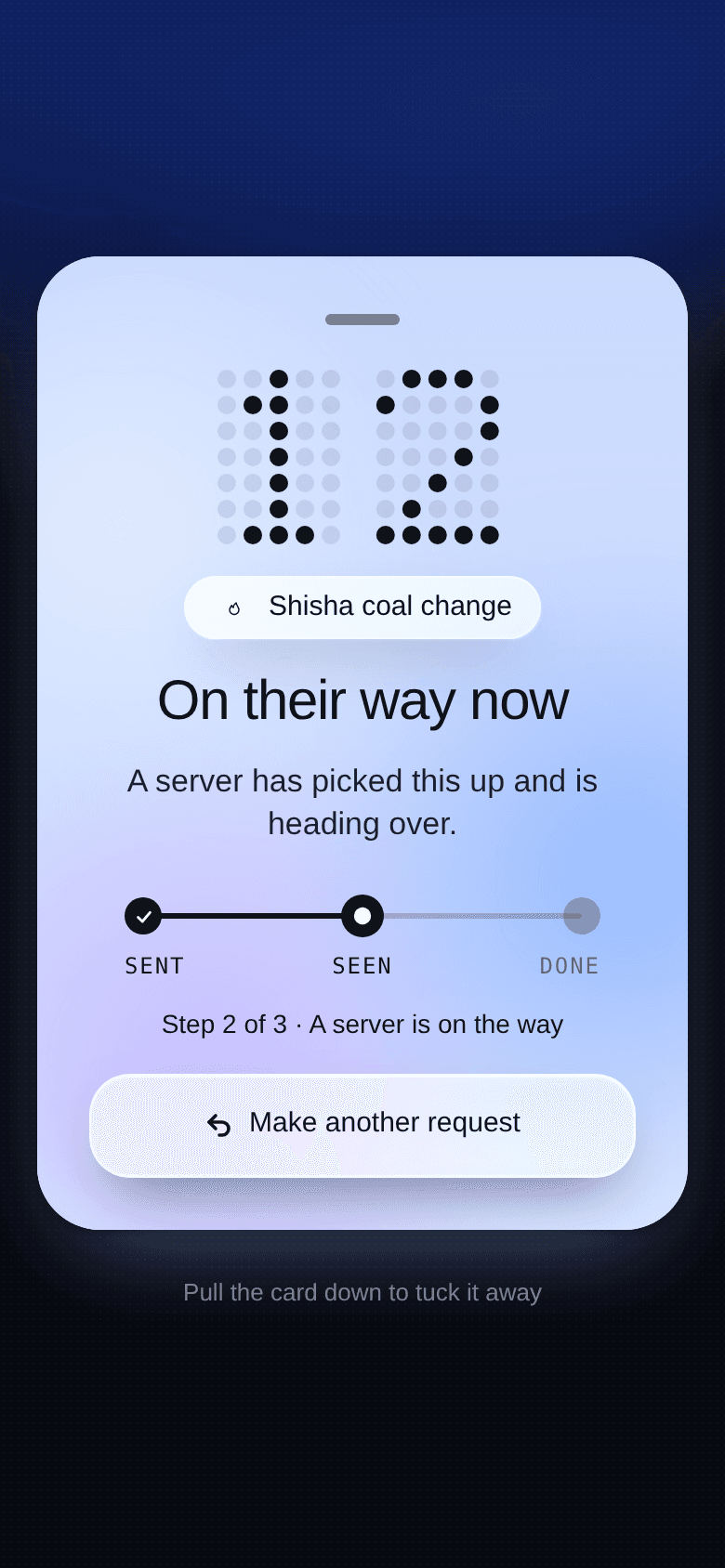
- Sent, picked up, on the way. A guest who knows someone is coming stops looking for someone to flag down.
- Nothing about them is collected
- No sign-in, no cookie, no tracking. The record is a table and a timestamp — it is not a person.
The tag · why it cannot be faked
The tag is the proof that somebody is sitting there
A printed link can be photographed, messaged and used from a sofa at home. The chip cannot: it counts its own taps and puts that count in the address it opens, so the page can tell a tap from a reload, a copy, or a screenshot sent to a friend.
- A seating lasts an hour
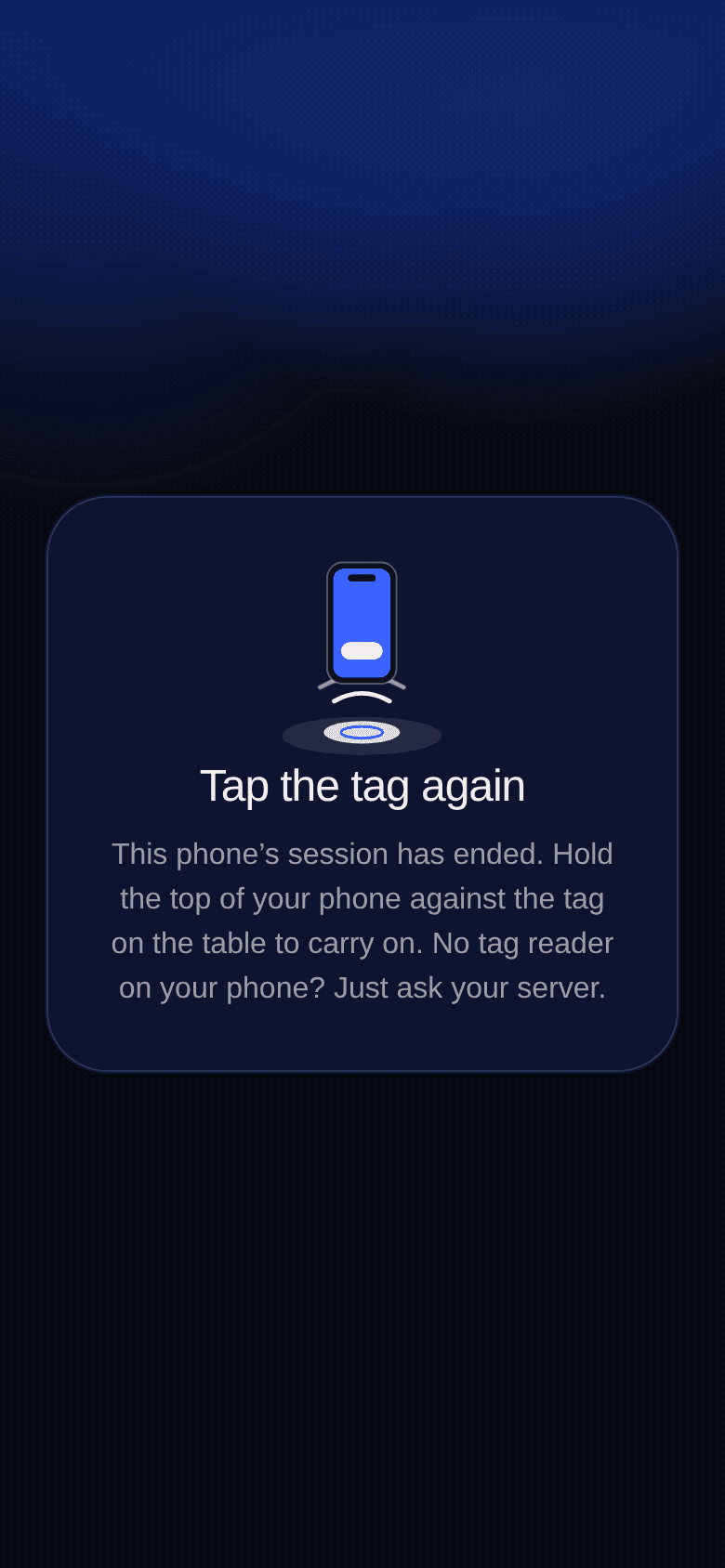
- After that the screen asks for a tap on the tag to carry on. Somebody still at the table does it in two seconds; somebody who left cannot do it at all.
- Reloading is not tapping
- The count only moves when the chip is actually powered by a phone. Refreshing the page, or reopening yesterday's link, asks for nothing.
- A printed code still works
- Older phones scan the code and get the same hour. It can start a session; only the chip can renew one.
- One chip, one table
- A chip is paired to its table the first time it is tapped, and a tag from another table is refused. Replace a lost one from the dashboard in a few seconds.
The guest · waiting
And if nobody comes, they can say so
This is the part that replaces standing up and looking around. After a wait you set, the guest gets a button that raises their own request — to another server, then to a manager.
- The guest decides, not a timer
- Only the person at the table knows whether anyone actually turned up. Automatic escalation exists too, and is off by default.
- It raises, it doesn't duplicate
- Escalating moves the same request up. It never creates a second one, so the queue never doubles under pressure.
- The clock runs from the request
- Not from when they opened the screen. Someone who has already waited ten minutes doesn't start again because they looked.
- It stops somewhere
- A request climbs to a manager and stops. Bouncing forever between the same two people is how staff learn to ignore alerts.
The server · the queue
A queue on the phone already in their apron
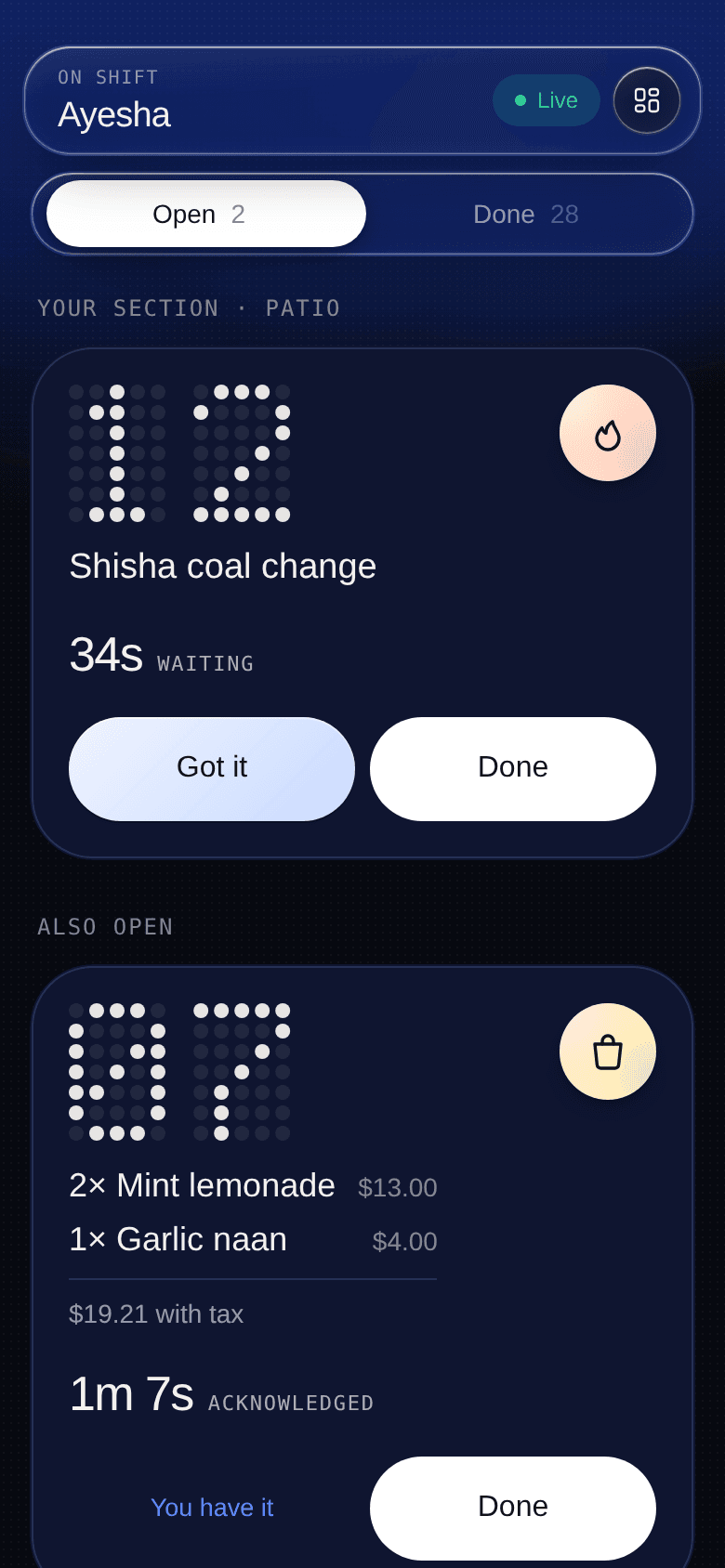
No new hardware, no watch, no receiver behind the bar. Whoever is covering that section gets the request on the phone they are already carrying, with the table number and the specific thing.
- Routed, not broadcast
- Assign sections at the host stand and requests go to the person standing in that part of the room. Or run pooled, where everyone sees everything.
- Two taps: Got it, then Done
- Got it tells the table someone is coming. Done closes it. The gap between them is the number the manager cares about.
- Alerts on the lock screen
- Add it to the home screen and requests arrive as notifications, with sound and vibration, even when the app is closed.
- Hand-off moves live requests
- Reassign a section and every unanswered request in it re-points to whoever took over. The person who walked away doesn't keep them.
The guest · ordering, if you want it
The same tap, carrying a whole order
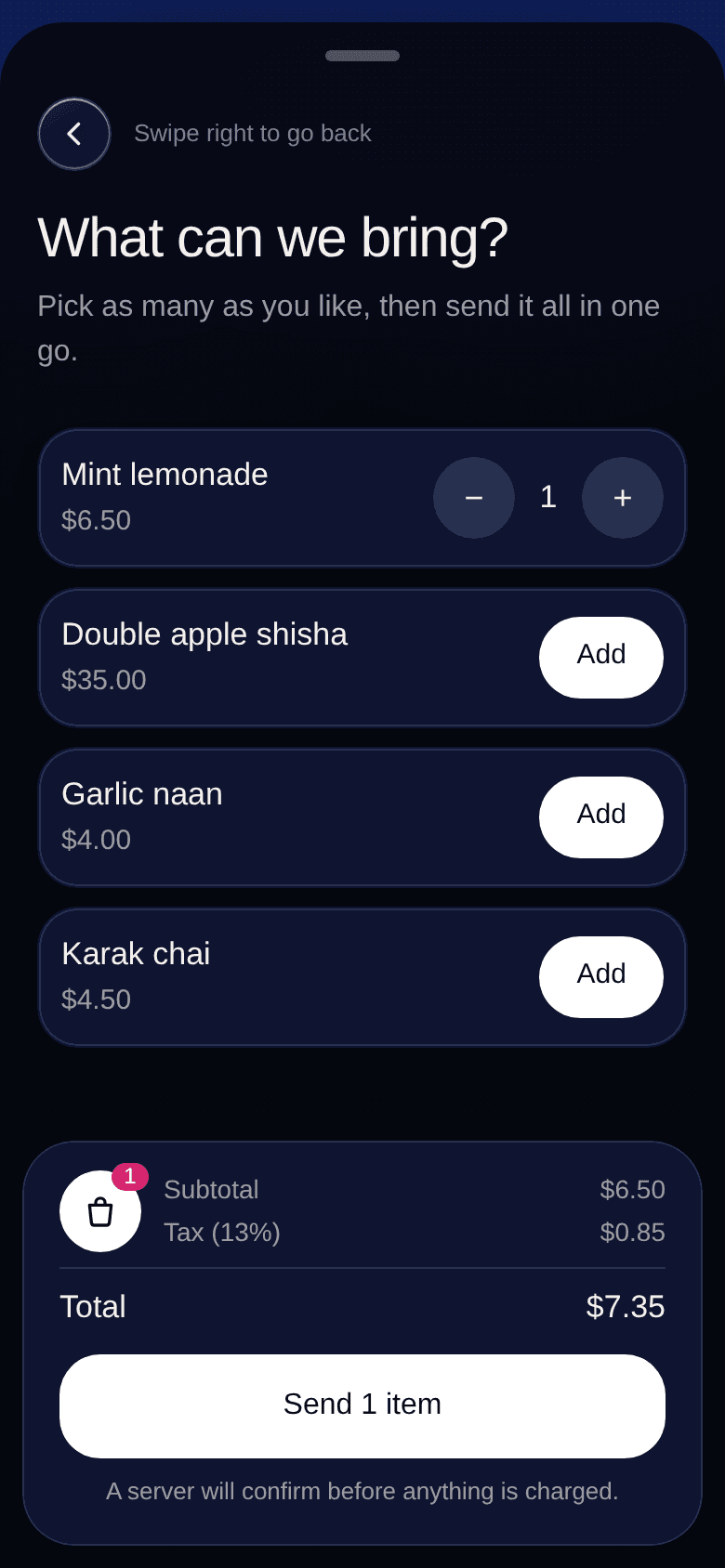
Off unless you switch it on. When it is on, the guest gets one more button: your list, with photos and prices, a tax line and a total they can see before they send. It arrives in the same queue as everything else — as one order, not six separate taps.
- Your list, priced
- Add items from your phone, with a photo if you have one. Anything switched off stops appearing to guests without losing what it cost last week.
- A price on plain buttons too
- A coal change at $15, a hose swap at $8. The price sits on the button, so nobody is explaining it at the till.
- The server reads it as one card
- Two lemonades and a naan, with the total including tax, in the shape they already read at arm's length.
- Tables tonight
- Everything a table has asked for this service, with the menu lines and a running total. The question at the end of a session, answered in one screen.
Whoever runs the room · the floor
The floor, and what it did last night
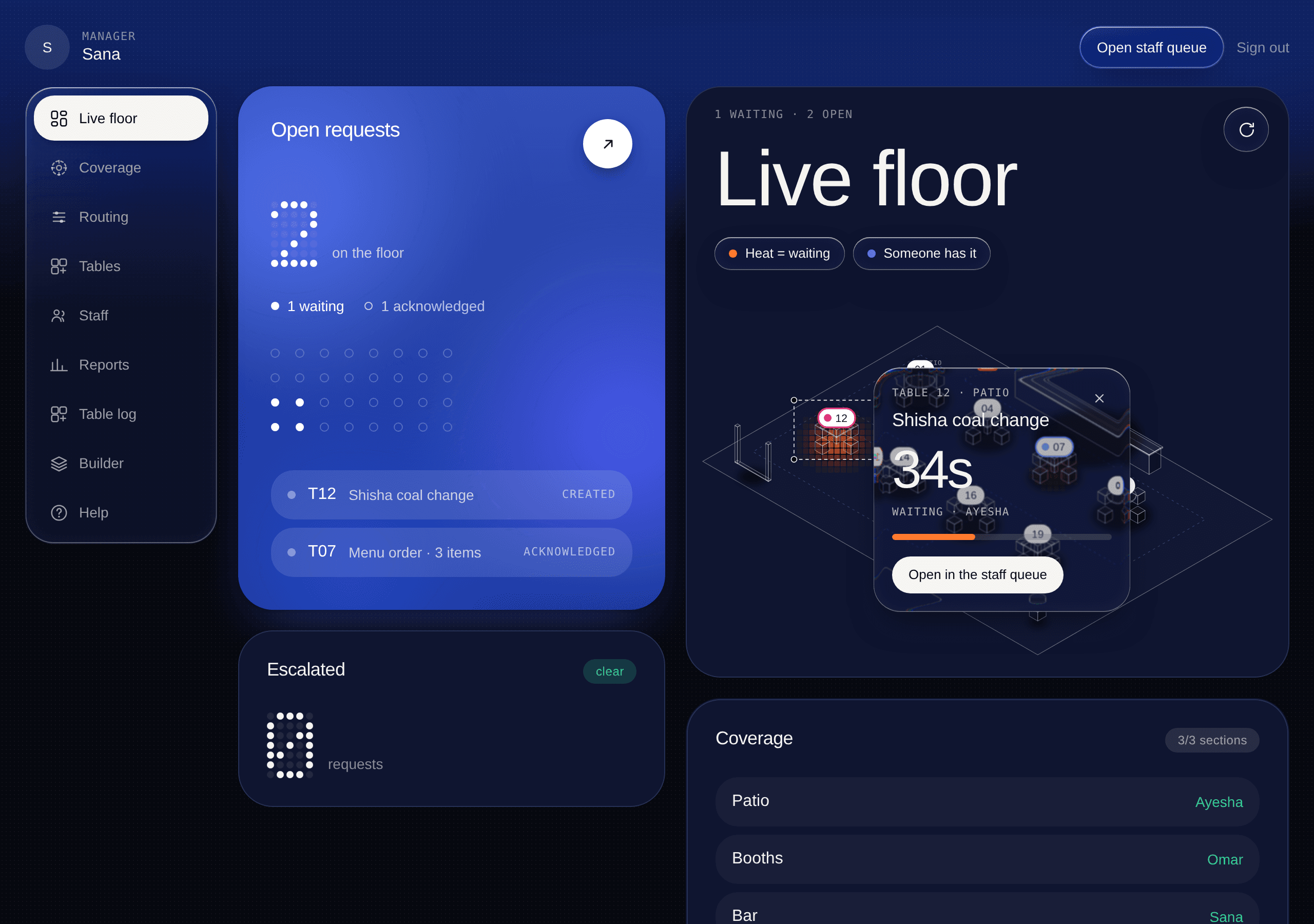
Every request is timed from sent to acknowledged to finished. You get the live floor during service, and the medians afterwards.
- Live during service
- What is open right now, how long it has been open, and who it went to. Enough to move somebody at 8pm.
- Medians, by hour
- Not an average — a median, because one forgotten table shouldn't hide a good night, and averages let it.
- Full history, kept
- Every finished request stays as your service record, grouped by day, until you delete it. It is yours and it exports.
- No scores, ever
- It reports counts and durations. It does not rank your servers or infer anything about them, and it never will.
The hardware, such as it is
One chip per table. That is the entire install.
We code them, brand them with your name, and stick them where they make sense for your room — under the table edge, on the shisha stand, beside the pool table. No wiring, no charging, no batteries, nothing to steal.
Each chip carries a random identifier and its own tap count. Knowing the identifier lets somebody start one hour at that table and nothing more — no name, no card, no history. Chips stay rewritable on purpose, so a tag can be re-coded or replaced in seconds rather than thrown away.
Tap
iPhone XR and newer, most Androids. No app.
Or scan
A printed code for anything older.
Branded
Your name and logo, printed in house.
Counted
Each tap increments the chip's own counter.
Replaceable
New tag in seconds if one goes missing.